💡 Little-known hack to get the most out of Cursor for FREE
If you're using Cursor on the free plan, you will eventually hit the dreaded "servers overload" screen.
Tap a slide to expand


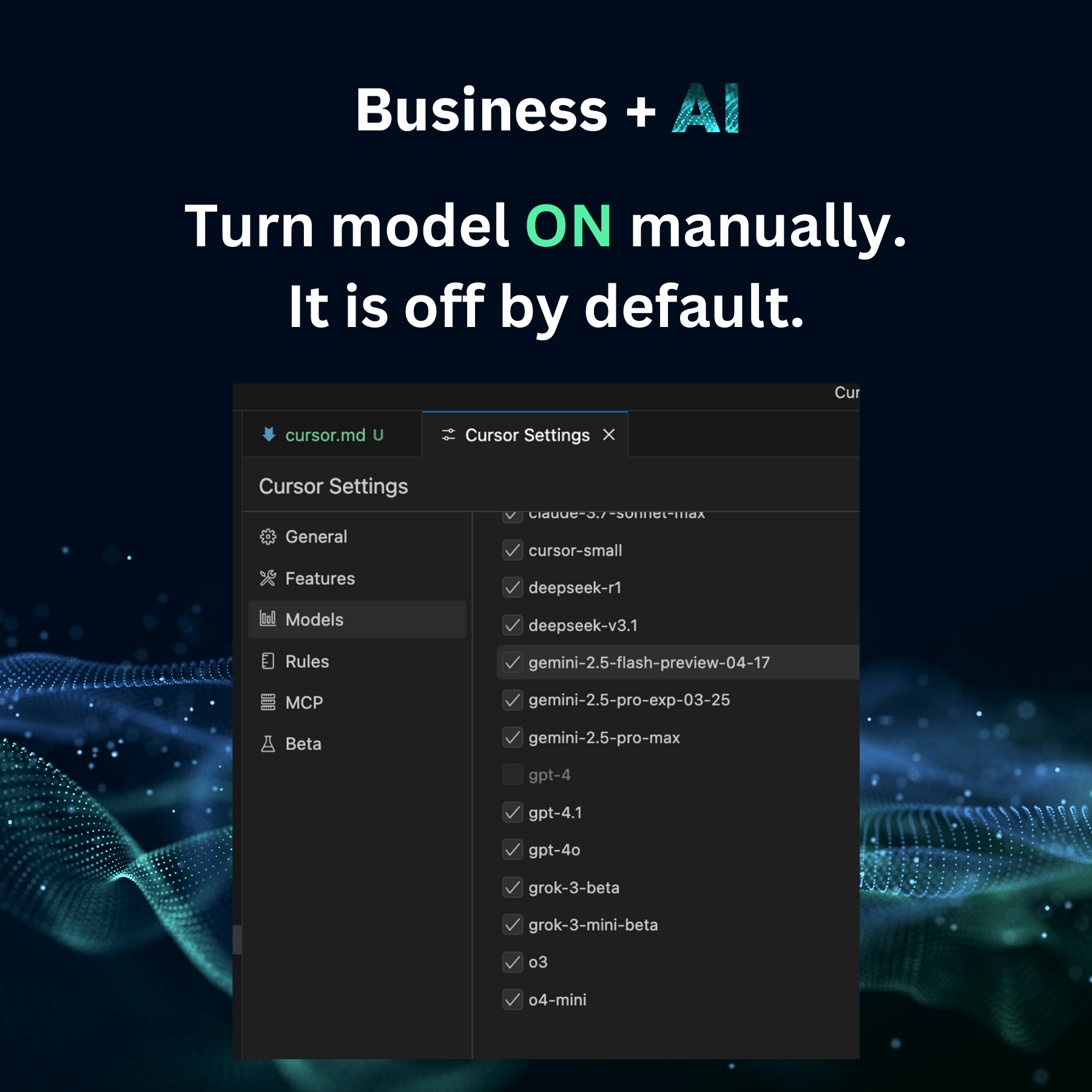
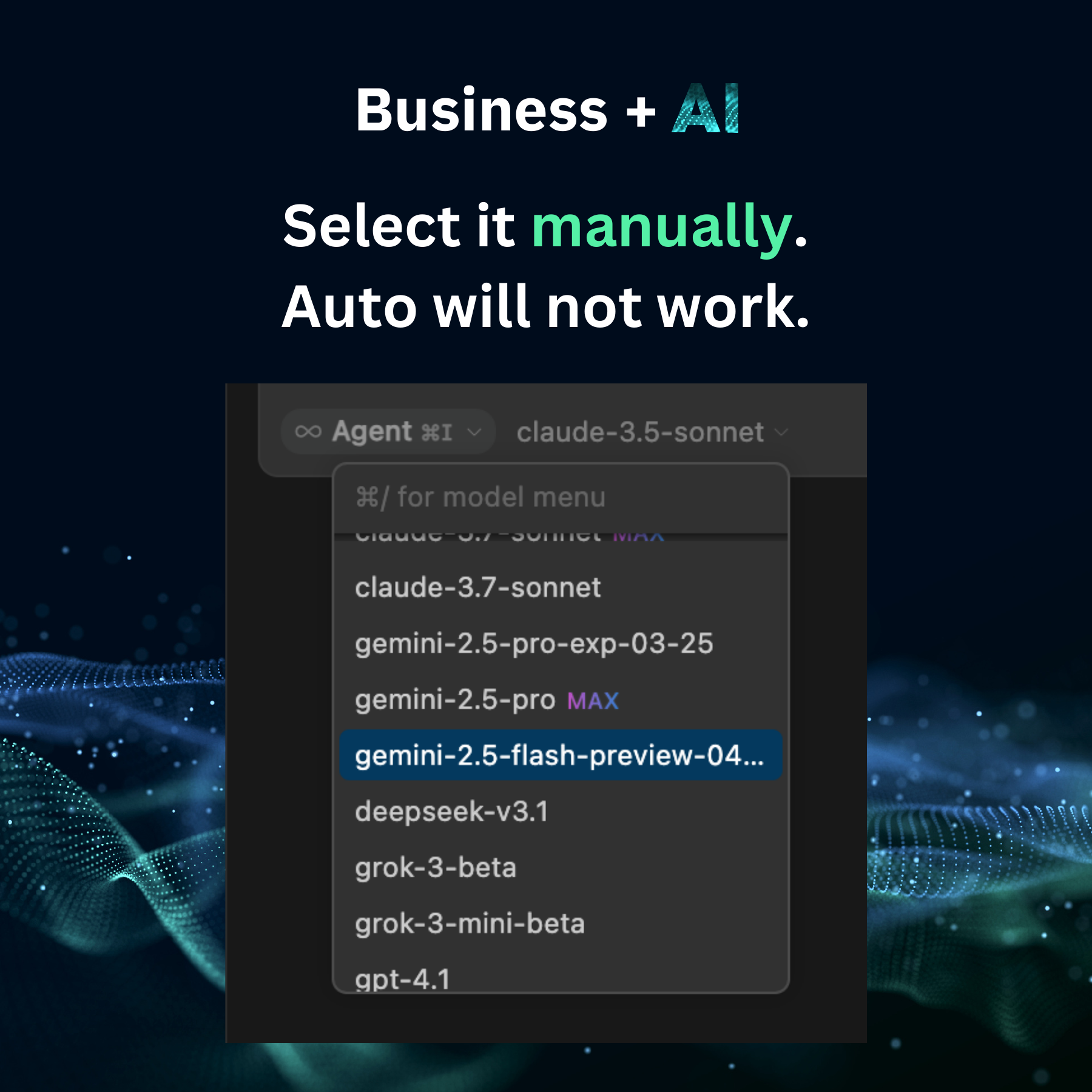
If you’re using Cursor on the free plan, you will eventually hit the dreaded “servers overload” screen.
But here’s a trick most people don’t know. 🛠️ You can still use Agent mode for FREE with a few tweaks:
1️⃣ Turn on Free Models with Agent capabilities in Cursor -> Settings -> Models. 2️⃣ Manually select the model from the dropdown
Boom. You can continue using Agent mode without paying a cent.
Some limitations:
No tab completion. But who needs tab completions when you can vibe code with agents?
The free models aren’t the best for deep coding tasks. No choice, this is a compromise you have to make. If you code regularly, I would still advise you to go for PRO. It is worth every penny.
Enjoyed this? Subscribe for more.
Practical insights on AI, growth, and independent learning. No spam.
More in Vibe Coding
10 Ways to Reduce the Risk of Running OpenClaw (or Any AI Agent)
The safe answer comes from Peter Steinberger, OpenClaw's creator himself. He said OpenClaw is designed as a personal assistant - one user to one or many agen...
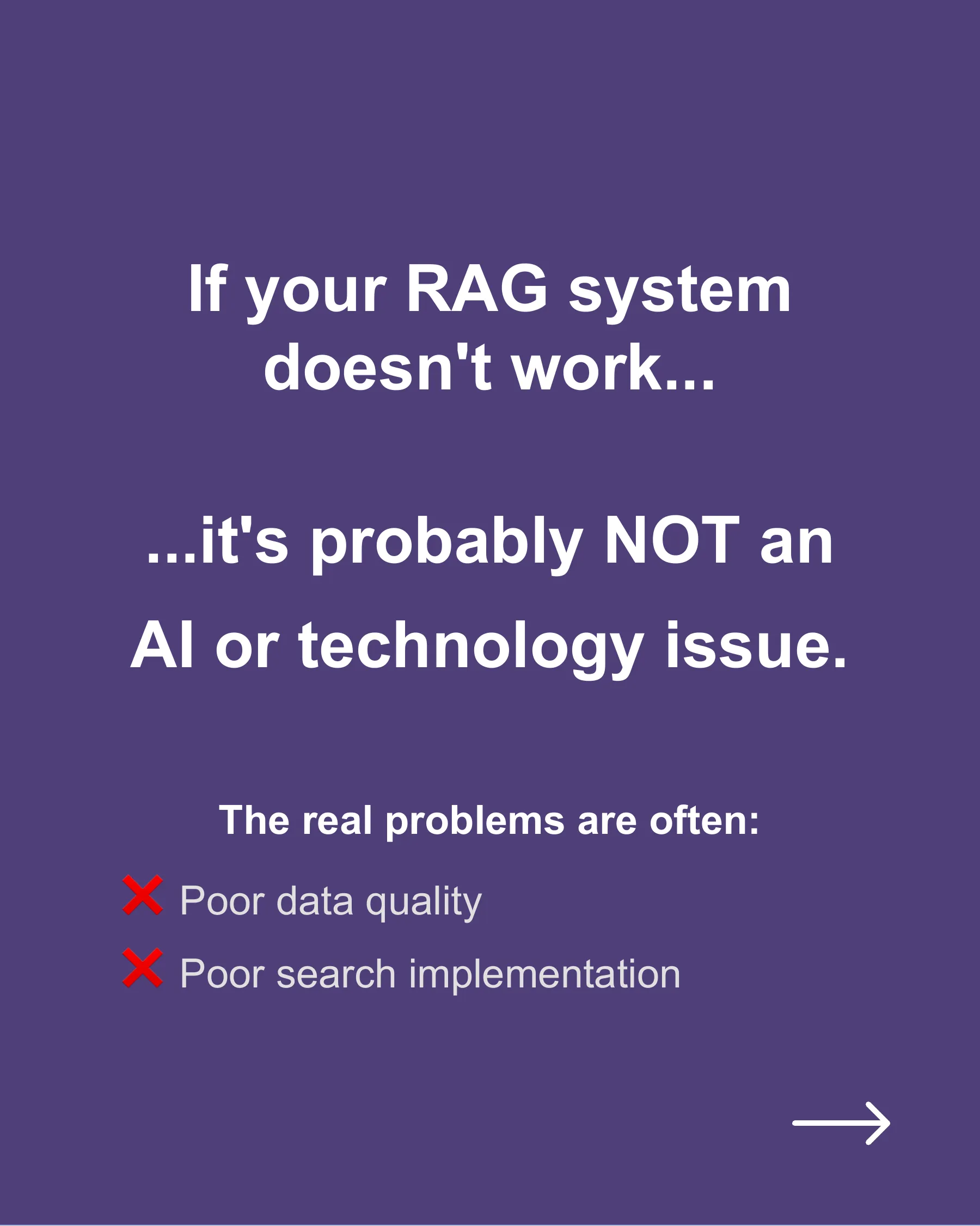
Your RAG System's Real Problem Isn't Hallucination
Two top common root causes are:

I’m honored to be invited to moderate an insightful roundtable on 𝗘𝗹𝗲𝘃𝗮𝘁𝗶𝗻𝗴 𝗙𝗼𝘂𝗻𝗱𝗮𝘁𝗶𝗼𝗻𝗮𝗹 𝗦𝘆𝘀𝘁𝗲𝗺𝘀 𝗶𝗻 𝘁𝗵𝗲 𝗔𝗜 𝗔𝗴𝗲, hosted by The Ortus Club and MuleSoft — with an exceptional group of tech and data leaders across industries like banking, telco, healthcare, transport, finance, and travel.
We unpacked tough questions on:

I am attending the Agentic AI Conference by Data Science Dojo on May 27 and 28, 2025.
The conference speakers include thought leaders in industry who will talk about all aspects of building agentic AI applications - covering everything from cu...
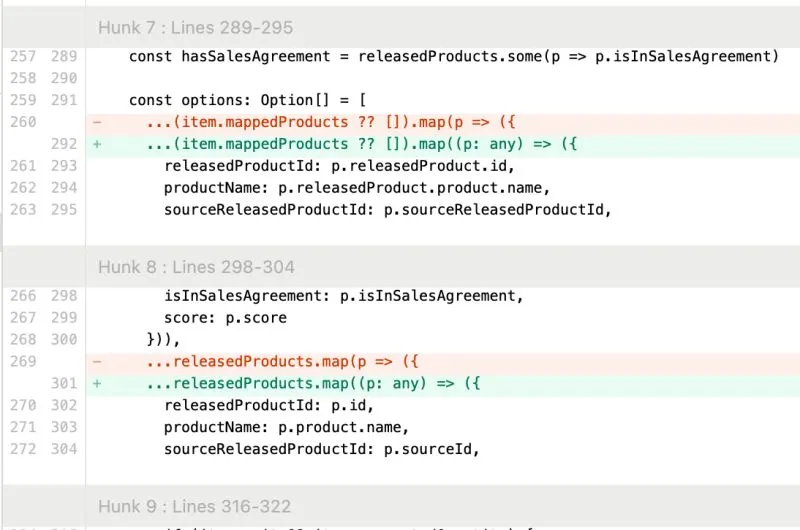
I caught Cursor trying to be lazy.
The AI agent couldn’t solve the typing error, so it cast the variable to 'any' to suppress the error, just like a sloppy software engineer would.

Good news!
What makes Eu Gene's training unique is that it's not only insightful but also entertaining and highly engaging.
10 Ways to Reduce the Risk of Running OpenClaw (or Any AI Agent)
The safe answer comes from Peter Steinberger, OpenClaw's creator himself. He said OpenClaw is designed as a personal assistant - one user to one or many agen...
I’m honored to be invited to moderate an insightful roundtable on 𝗘𝗹𝗲𝘃𝗮𝘁𝗶𝗻𝗴 𝗙𝗼𝘂𝗻𝗱𝗮𝘁𝗶𝗼𝗻𝗮𝗹 𝗦𝘆𝘀𝘁𝗲𝗺𝘀 𝗶𝗻 𝘁𝗵𝗲 𝗔𝗜 𝗔𝗴𝗲, hosted by The Ortus Club and MuleSoft — with an exceptional group of tech and data leaders across industries like banking, telco, healthcare, transport, finance, and travel.
We unpacked tough questions on:
I caught Cursor trying to be lazy.
The AI agent couldn’t solve the typing error, so it cast the variable to 'any' to suppress the error, just like a sloppy software engineer would.
Your RAG System's Real Problem Isn't Hallucination
Two top common root causes are:
I am attending the Agentic AI Conference by Data Science Dojo on May 27 and 28, 2025.
The conference speakers include thought leaders in industry who will talk about all aspects of building agentic AI applications - covering everything from cu...
Good news!
What makes Eu Gene's training unique is that it's not only insightful but also entertaining and highly engaging.