Context is king in AI. Five Claude Code features to manage context, and when to use them.
A learner from my class told me his biggest takeaway was how important context management is. I agree completely. Most people who pick up Claude Code focus o...
A learner from my class told me his biggest takeaway was how important context management is. I agree completely. Most people who pick up Claude Code focus on two things: the prompt and the model. Wording the perfect prompt, picking the smartest model. Both matter, but neither is usually your bottleneck. The context is.
In this article, I share practical insights about context engineering in Claude Code: what it is, why it matters, and which features help you do it well. Context engineering is the common term, but I prefer to call it context management, because it matters for everyone using these tools, not only engineers. A lot of this lines up with the Claude Code team’s talk “Beyond the Basics with Claude Code,” linked at the end.
First, what is context?
Start with a fact that surprises most people: LLMs have no memory. Every request is like talking to a new person who has never met you. To carry on a conversation, the tool resends the entire chat history plus any relevant information to the model, every single turn. Most AI tools do this for you under the hood, and that is the reason it feels like the model has memory.
Context is all the information you feed the model so it can pick up where it left off and produce better output. Same model, same prompt, different context, wildly different output. Context is the single biggest lever you have over an AI agent.
What is a context window?
A context window is the amount of context you can send to the model in one request. In Claude Code it depends on your plan: 200,000 tokens on Pro, and up to 1 million on Max. 200,000 tokens are roughly 150,000 words or around 300 pages of plain text. It sounds like more than you could ever need. It is not. Once the window is full, something has to be dropped.
Here is the metaphor I use. Imagine asking a colleague to do a piece of work, but the only way you can communicate is a notebook with a fixed number of pages. Everything they need to know has to fit in it. And it cannot all be your instructions, because the colleague also needs blank pages to think on and record what they have done. Fill it with everything you can think of and you leave them no room to work. Leave out the wrong thing and they guess.
That is your context window, and the model is the colleague.
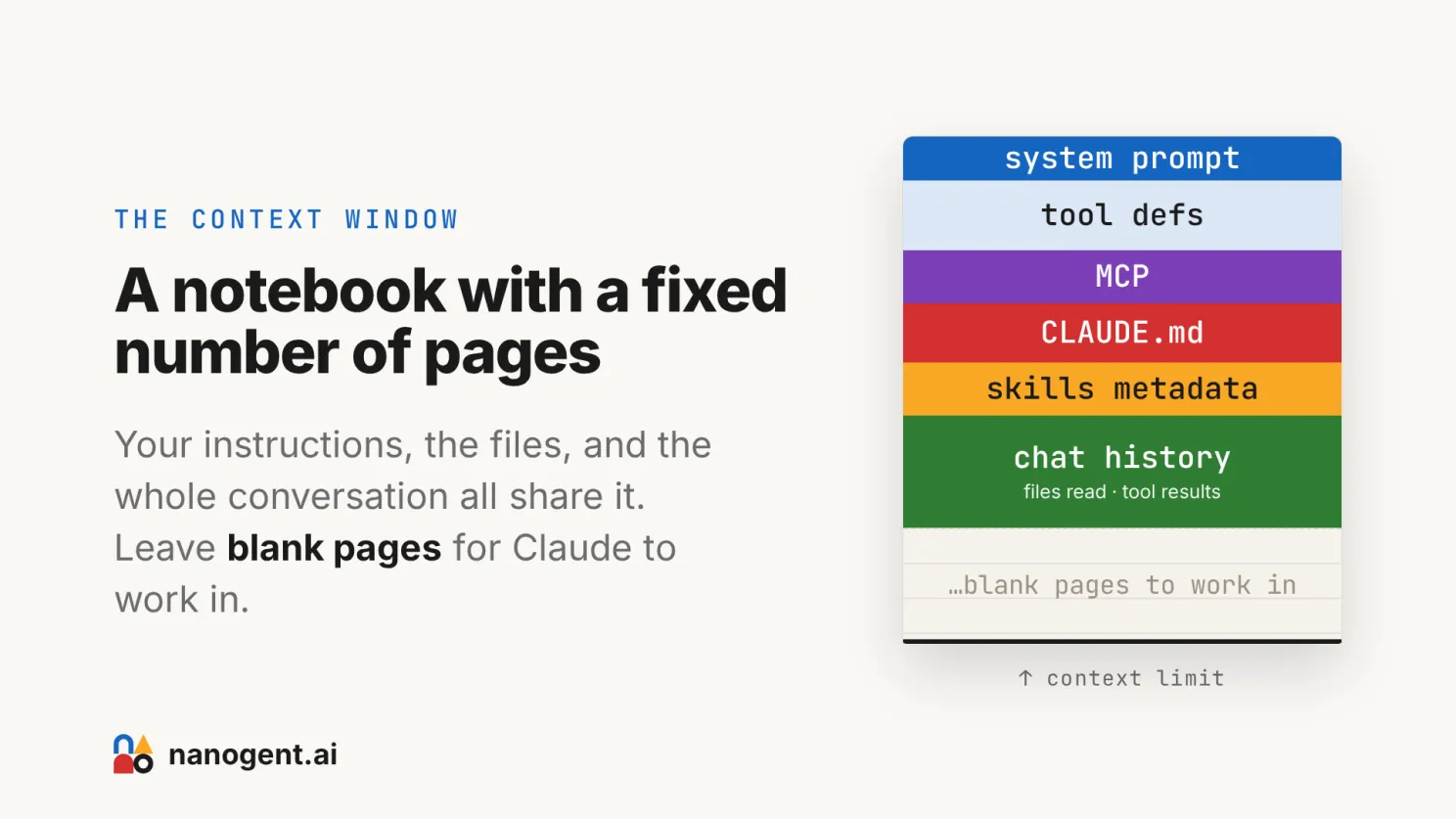
This is why a big window does not mean you should fill it. Two things go wrong when you do:
- Instruction following gets worse. A bloated context distracts the model. It misses your actual ask, ignores constraints you set earlier, and starts hallucinating details. In my daily use, even Opus starts slipping well before the window is full, somewhere past 80,000 tokens, and it gets worse after the conversation is compressed. A 1-million-token window is useless if the model stops following instructions at 80,000.
- Every request gets more expensive. You pay for the whole context, every turn, in either API cost or plan usage. A bloated session can cost 10x what a tight one costs.
One related trap: you cannot train your way out of this by fine-tuning a model on your codebase or company knowledge. It does not work well. Research from late 2025 shows fine-tuning on specialized knowledge can increase hallucinations, and frontier models move so fast your fine-tune is stale before it ships. Everything domain-specific has to go in through the context window. Which brings the whole problem back to: what do you put in the notebook?
Some context you control, some you do not
Not all of your context window is yours to decide.
Some of it is added automatically, with no control on your side:
- Chat history is always loaded. It is the current conversation, resent every turn. You cannot pick and choose what stays, though you can wipe it with /clear or shrink it with /compact.
- Tool definitions are always loaded. Their metadata sits in the prompt whether you use them or not.
- Memory features can inject things across sessions on their own. Useful, but watch for vendor lock-in.
And some of it is entirely your decision:
- CLAUDE.md, Skills, MCP servers, Subagents, and the files you point Claude at.
Deciding what goes into that second bucket, and in what order, is the context engineering people talk about, what I call context management. “Engineering” makes it sound like a job for technical people only. It is not. Anyone using these tools, technical or not, is making these decisions whether they realize it or not. Doing it on purpose is the whole game.
The building blocks you control, and what each costs your window
Five things let you shape the controllable part of your context. The question to ask about each is the same: how much does it cost the notebook, and when. I go from the always-loaded ones to the ones that cost nothing until used.
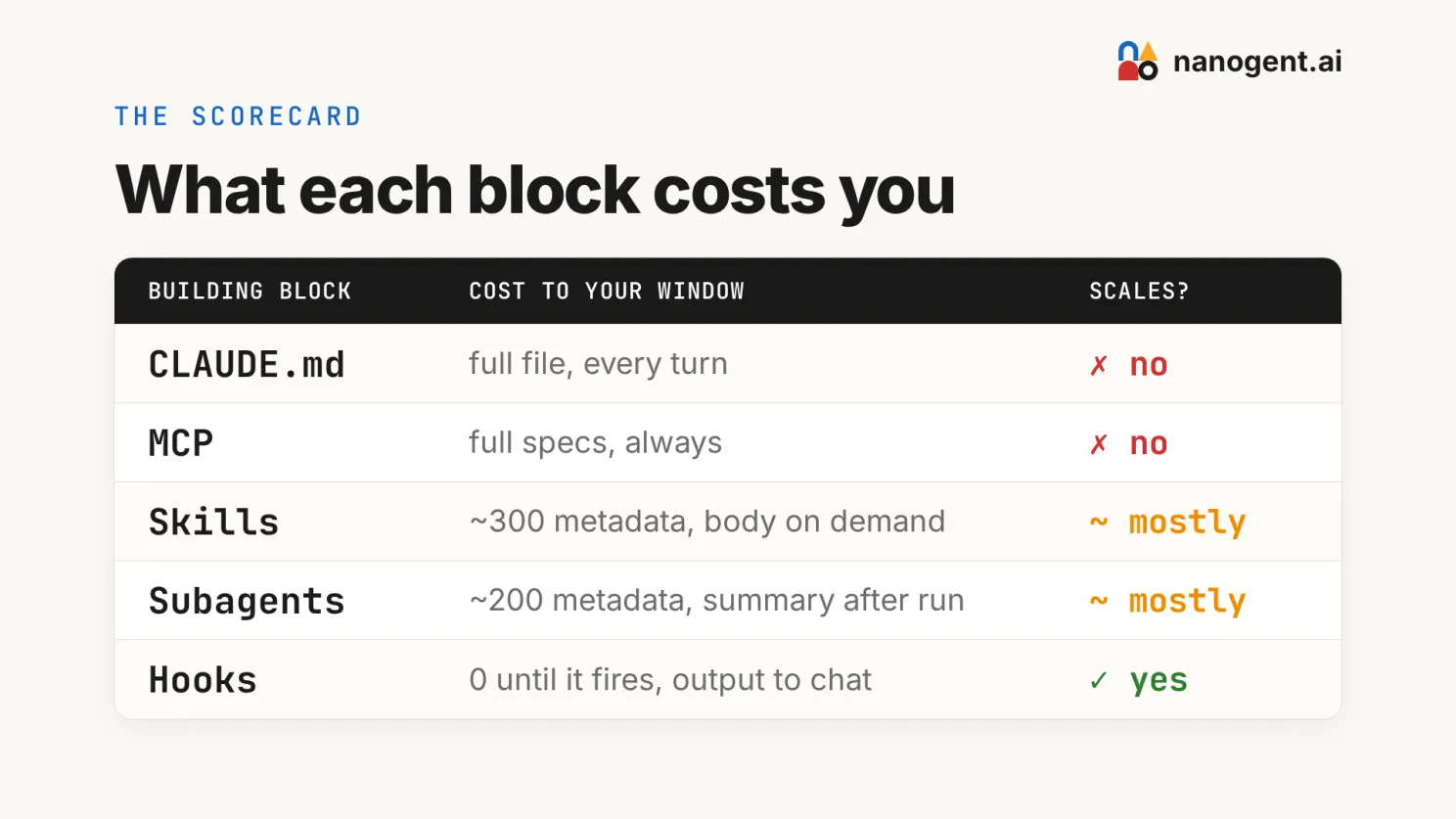
1. CLAUDE.md. The simplest building block and the one to learn first. It is a plain-text file in your project folder that Claude Code reads first, every time. Create it with /init. Keep it light: only the quirks Claude Code keeps forgetting, not full project documentation. Do not even create one until you have a real reason. A subfolder can have its own CLAUDE.md that stacks on the parent, which is handy in larger projects.
- Cost: full file, every turn.
- Scales: no. The whole file loads every turn, so keep it tiny.
- Best for: the handful of project rules and conventions Claude should never forget.
2. MCP servers. An MCP server’s full tool specs are always loaded, used or not. Fine for a couple of integrations, expensive past that, because you end up filling the notebook with descriptions of tools AI is not calling. If you already have a command-line tool, don’t use MCP.
- Cost: full tool specs, always loaded.
- Scales: no.
- Best for: connecting Claude to an external service that has no command-line equivalent.
3. Skills. A skill is a folder with a markdown file, plus optional reference files and scripts it can pull in. Its metadata, the name and a one-line description, is always loaded. The body loads only when Claude decides it needs the skill, then stays for the rest of the session. So a library of skills carries a standing cost from all those descriptions, and each skill you use adds its body on top. Better than MCP, not free.
- Cost: ~300 tokens of metadata always loaded; the full body loads on demand, then stays for the session.
- Scales: mostly.
- Best for: repeatable procedures you want Claude to reach for on its own.
4. Subagents. A subagent runs with its own separate context window. Your main session only pays for the request and the result, not the agent’s whole working memory, so a big self-contained job never bloats your main notebook. Like skills, though, each agent’s short description still sits in your main prompt, so a big roster does not scale for free.
- Cost: ~200 tokens of metadata always loaded; the work runs in its own window, and only an output summary comes back after the run.
- Scales: mostly.
- Best for: offloading heavy work like research, a review, or a migration.
5. Hooks. The only true zero-cost option. You give Claude Code events to trigger on, and it runs a script. Tokens enter the window only when a hook fires, because hooks run outside the context entirely. This is also where the best feedback lives: a hook can run your linter or type checker after Claude edits a file and send the result back to Claude. The fastest way to make Claude better on your codebase is not a smarter model, it is a tighter feedback loop, and most of these scripts already exist. The one catch: hooks are specific to Claude Code, so a workflow that leans on them will not carry over to another harness.
- Cost: zero until a hook fires; then its output is added to your chat history.
- Scales: yes.
- Best for: enforcement and feedback you want applied at no standing context cost.
The features that manage context for you
Knowing what fills the window is half of it. The other half is the commands that let you see and reset it.
- /context gives you a snapshot of what is filling the window right now. /statusline keeps an always-visible readout under your prompt. If you cannot see the notebook filling up, you will not know when to act.
- /clear starts a fresh conversation and drops the chat history. Use it whenever you switch topic.
- /compact summarizes the conversation so far into a shorter version. It keeps the thread alive while freeing up space, so reach for it when you want to continue the same task with a lighter window.
- Save your work in files, not chat. This is the mindset shift that ties it together. Anything important, a brief, a plan, a decision, goes into a markdown file, not buried in the conversation. Files survive /clear, can be versioned with Git, and can be fed into a fresh session anytime. Once your context lives in files, you can run /clear often and keep every session tight.
The one habit to build
Before you add anything to a session, ask the notebook question: does this need to be in here, and does it need to be in here every turn? Most of what bloats a session is there by accident, not because anyone decided it should be.
This is also why I think managing context is a skill you build, not a setting you flip. The model keeps getting better on its own. The part you control is what goes into the window and in what order, and you get better at that the more you use AI and pay attention to what helped and what just bloated the session. Same model, two people, very different output, and the difference is mostly how well each of them has learned to manage context.
Talk reference: Beyond the Basics with Claude Code.
Advanced Claude Code workshop
This is one of the modules I cover in my Advanced Claude Code workshop. To learn more practical knowledge like this, join my next cohorts on 9 July.
It is a full-day workshop designed for a non-technical audience.
Details: https://boonkgim.com/workshops/claude-code-personal-automation/
If you have no prior experience with Claude Code and Terminal, I also run a half-day Foundations of Claude Code workshop.
Details: boonkgim.com/workshops/foundations-claude-code
#AI #ClaudeCode #VibeCoding #AIAgents #BuildInPublic
Enjoyed this? Subscribe for more.
Practical insights on AI, growth, and independent learning. No spam.
More in Vibe Coding
The votes are in for Cohort 3.
Congrats to Francis Lee ., the winner of the portable monitor from my Foundations of Claude Code workshop.
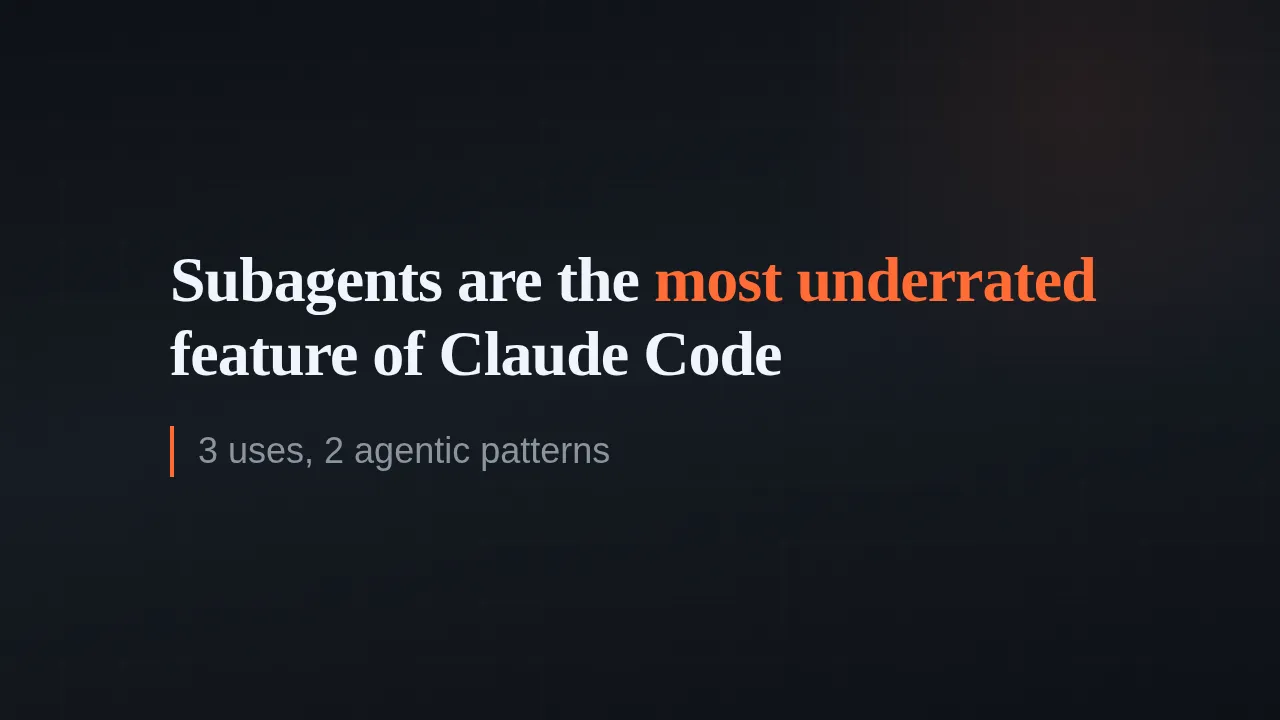
Subagents Are the Most Underrated Feature of Claude Code
In my Foundations of Claude Code workshop last week, one of the learners, Kie Chuan Tan, shared that one of his highlights was watching 5 subagents run in pa...

Create a Free LinkedIn Carousel with Vibe Coding
(See the carousel below that I created for one of my posts)
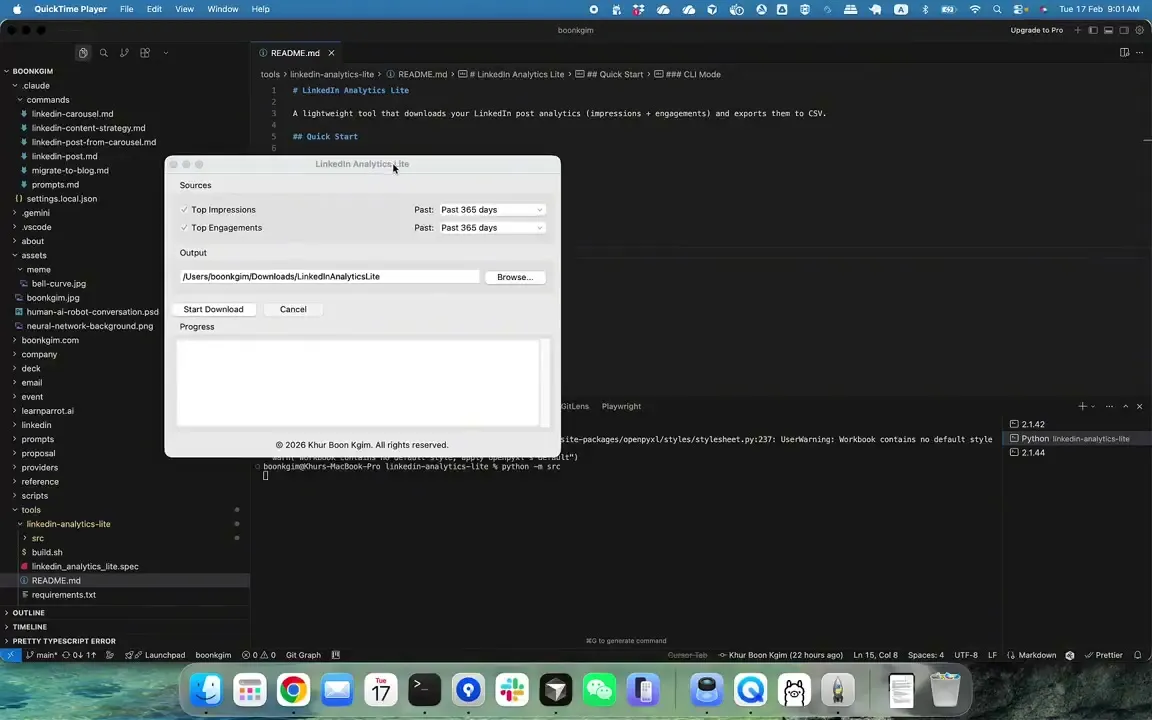
Not every automation needs an AI agent. After burning $25+ with a browser agent just to download analytics of my top LinkedIn posts, I decided to build a simple automation tool that costs nothing to run.
--
Two Choices for Handling Tech Debt in Vibe Coding
· Go full vibe: ignore tech debt, and when things inevitably break, spend a week fixing it.
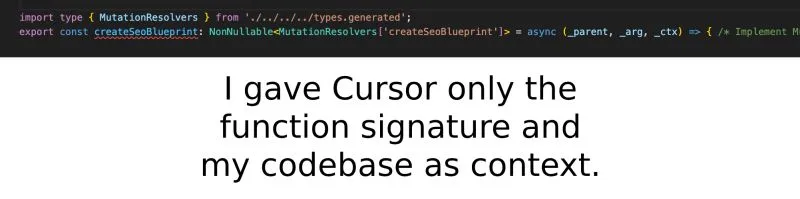
Can AI really write production-quality code?
Here's a chance to peek how it is used in an actual project.
The votes are in for Cohort 3.
Congrats to Francis Lee ., the winner of the portable monitor from my Foundations of Claude Code workshop.
Not every automation needs an AI agent. After burning $25+ with a browser agent just to download analytics of my top LinkedIn posts, I decided to build a simple automation tool that costs nothing to run.
--
Can AI really write production-quality code?
Here's a chance to peek how it is used in an actual project.
Subagents Are the Most Underrated Feature of Claude Code
In my Foundations of Claude Code workshop last week, one of the learners, Kie Chuan Tan, shared that one of his highlights was watching 5 subagents run in pa...
Create a Free LinkedIn Carousel with Vibe Coding
(See the carousel below that I created for one of my posts)
Two Choices for Handling Tech Debt in Vibe Coding
· Go full vibe: ignore tech debt, and when things inevitably break, spend a week fixing it.