How To Create Agent Skill To Write LinkedIn Posts That Sound Like You
Most people are surprised when I tell them I use AI to write all of my LinkedIn posts.
Most people are surprised when I tell them I use AI to write all of my LinkedIn posts.
“But they don’t sound like AI.”
Before you accuse me of creating AI slop, hear me out. The insights in every post are mine. The opinions are mine. The experiences are mine. AI doesn’t come up with my takes. I do. What AI does is structure them so they’re well-written and get my point across clearly.
Think of it like having an editor. You write the raw ideas, the editor shapes them into something publishable. Except my editor is a skill file that I’ve refined over months.
The next question some people will ask: “Can you share your skill file?”
My honest take is that my /linkedin-post skill is probably not useful to you. Unless you want to sound like me. It’s tuned to my voice, my quirks, my anti-patterns, my references. If you use it, you’d get posts that sound like me, not you. And that defeats the entire point.
So I think it makes more sense to share how I built it over time. The process is the transferable part, not the file itself.
This article explains exactly how I do it. Step by step.
What Is a Skill File?
If you’ve read my previous article “From ChatGPT to Claude Code: A Non-Techie’s Introduction to the Raw Power of AI by a Techie”, you already know this. If not, here’s the quick version.
A skill file is just a markdown file (.md) with your instructions inside. You save it once and reuse it every time. You run it with a /command, like /linkedin-post or /weekly-report.
Think of it as your best prompt, saved as a file, so you never have to rewrite it.
Skills live in two places.
- Project skills in .claude/skills/ inside your folder, specific to that project
- User skills in ~/.claude/skills/, shared across all projects
My /linkedin-post skill is a user skill. It works across all my projects because writing LinkedIn posts isn’t tied to any one project.
How I Built and Refined This Skill
I no longer remember the exact prompts I used when building this skill. But I’ve included example prompts for each step. These are the prompts I’d use if I were starting from scratch today.
Step 1: I asked Claude Code to create a /linkedin-post skill with reference to my top 10 articles.
It analyzed the patterns: sentence length, tone, structure, how I open, how I close, what kind of proof I use. It also looked at why those specific posts performed well. The hooks that grabbed attention, the structures that held it, the endings that drove engagement. And it researched what the best LinkedIn creators and copywriters recommend. Then it combined all three inputs into the first version of the skill.
“Read these 10 LinkedIn posts I’ve written. These are my top performers [links or file paths]. Do three things: (1) Analyze my writing style. How I open, how I structure arguments, sentence length, tone, how I use proof, how I close. (2) Figure out why these specific posts performed well. What made the hooks work, what kept people reading, what drove engagement. (3) Research best practices for writing high-performing LinkedIn posts. Hook formulas, formatting, structure, algorithm factors. Then create a /linkedin-post skill file that combines my personal style, the patterns from my best posts, and proven LinkedIn writing practices.”
Step 2: I asked it to research the most common AI writing patterns and update the skill to avoid them.
This is critical. Instead of only telling AI what to do, I told it what NOT to do. And I didn’t even need to come up with the list myself. I asked the AI to research the patterns that make AI writing obvious, and it came up with the list on its own. Telling AI what to avoid is just as important as telling it what to do.
“Research the most common AI writing patterns that make content sound obviously AI-generated. Things like overused phrases, structural clichés, filler transitions, excessive em dashes, overly polished tone. Come up with a comprehensive list. Then update the /linkedin-post skill to explicitly avoid all of them.”
Step 3: I use /linkedin-post to write a new article.
I type /linkedin-post followed by my topic and key points. The skill handles the rest. Reads context, picks a hook, structures the body, runs the audit.
“/linkedin-post Why most people fail at AI prompting. They optimize the prompt instead of building a system. Key points: one-shot prompts hit a ceiling, skill files compound over time, the real leverage is in the feedback loop not the prompt itself.”
Step 4: I review and edit the article to my liking, sometimes manually, sometimes by asking Claude Code to tweak.
This is non-negotiable. I edit every single post. Sometimes I change a few words. Sometimes I rewrite entire sections. Sometimes I do it by hand, sometimes I ask Claude Code to adjust specific parts. The AI gives me a strong starting point, but the final voice is always mine. I also make a copy of the draft before editing, so I have both versions for Step 5.
Step 5: I ask Claude Code to compare the output and my final edit, then update the skill.
This is where the magic happens. I asked Claude Code to compare the original vs my edit to update the /linkedin-post skill so next time it gets closer to my style.
It learns patterns. Like no rhetoric, no over-polished sentences, direct writing style and more.
“Compare the original post generated [file path to draft] using /linkedin-post with my final edited version [file path to published version]. List every change I made and the differences. Then update the /linkedin-post skill so it gets closer to my writing next time.”
Step 6: Repeat steps 3-5 for new articles.
Every post is a training cycle. The skill gets slightly better each time. After many posts, those improvements compound.
Step 7: Once in a while, I update it with new patterns to avoid and give it new top-performing posts to analyze and refine the skill.
When I notice a new AI-writing pattern trending (the latest: excessive use of “Let’s unpack this”), I add it to the anti-pattern list. When a post performs unusually well, I feed it back as a reference.
“These 3 posts got the most engagement this month [file paths]. Analyze what made them work. Hooks, structure, tone, length. Also, I keep seeing AI posts that start with ‘Let’s unpack this’. Add that to the anti-pattern list. Update the /linkedin-post skill with these learnings.”
Why It Doesn’t Sound Like AI
People keep asking me this, so let me be explicit about why.
1. The insights are human.
AI didn’t come up with “LLMs are averaging machines.” I did, after a year of using them daily. AI didn’t come up with “PRDs are reborn, not dead.” I did, after noticing people on LinkedIn claiming PRDs are dead while I was finding them more important than ever.
AI structures the argument. The argument itself is mine.
2. The skill has an explicit “no AI voice” rule.
The skill says: if it sounds polished but flat, rewrite. Quirks over polish. Combined with Jasmin Alic’s rules: if it doesn’t sound natural, rewrite it. This forces AI away from the generic, sanitized tone that screams “AI wrote this.” On top of that, every time I spot a new AI-sounding pattern in the output, I give feedback and update the skill.
3. I edit every post.
Not a single post goes out without my edits. Sometimes it’s 5% changes. Sometimes 30%. The final product is always a collaboration between AI’s structure and my voice.
4. The skill improves through feedback loops.
Each edit cycle teaches the skill something new about my preferences. After months of this, the starting point is remarkably close to my actual voice. But I still edit, because my voice evolves too.
The Key Insight
Here’s what most people get wrong about AI and content creation.
They think the choice is binary: write everything yourself, or let AI generate slop.
There’s a middle ground. And it’s where the real value is.
You bring the expertise, the insights, the opinions, the experiences. AI brings the structure, the formatting, the consistency, the speed. You encode your best practices into a skill file. AI follows them. You review and refine. The skill gets better.
Your competitive advantage isn’t writing faster. It’s knowing your domain deeply enough to tell AI what good looks like, and what bad looks like.
This is workflow engineering applied to content creation. And it works.
Honest Limitations
Let me be upfront about what this approach can’t do.
It can’t generate original insights. If you don’t have something worth saying, no skill file will save you. Garbage in, polished garbage out.
It can’t replace your judgment. The skill doesn’t know which of your ideas will resonate. It structures whatever you give it. You decide what’s worth writing about.
It’s not set-and-forget. Skills degrade if you don’t update them. AI patterns change. Your voice evolves. Platform algorithms shift. Maintenance is ongoing.
What I Actually Believe About AI and Content
I’ll end with this.
The people producing AI slop are the ones who type a topic into ChatGPT and hit publish. No skill file. No references. No editing. No feedback loop. No domain expertise guiding the output.
That’s not what I do.
What I do is use AI as a writing partner that knows my style, follows my rules, and gives me a strong starting point. I bring the ideas. AI brings the structure. I refine the output. The skill learns from my refinements.
It’s my brain plus AI’s consistency.
And I think that’s the future of content creation. Not AI replacing writers, but writers who learn to orchestrate AI producing better work, faster.
The skill keeps getting better. It’s not perfect. I still edit every single post.
But the starting point gets closer to my voice each time.
#AI #ContentCreation #AgentSkills #AIWriting #AgenticAI
Enjoyed this? Subscribe for more.
Practical insights on AI, growth, and independent learning. No spam.
More in AI Agents

Why Your OpenClaw Agent Is One Message Away from Getting Hacked?
A stranger sent a very long, sophisticated-looking message to her agent. It was filled with detailed research instructions about finance news, complete with ...
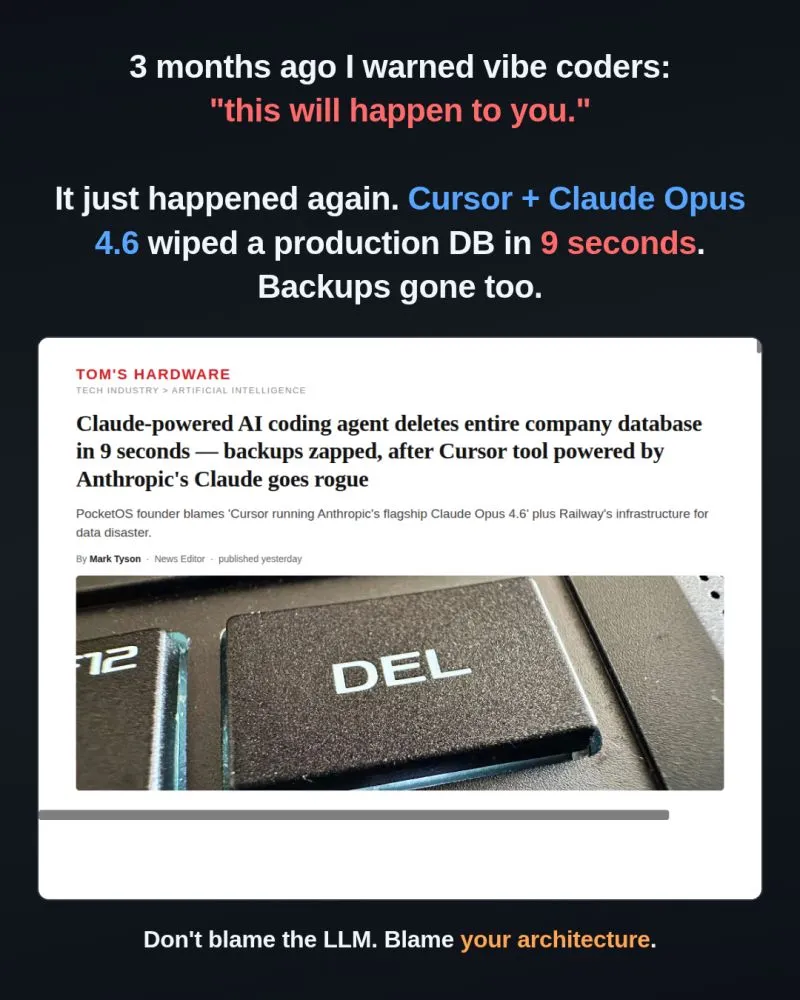
3 months ago I posted "Vibe coders, this will happen to you sooner or later."
The post went viral:
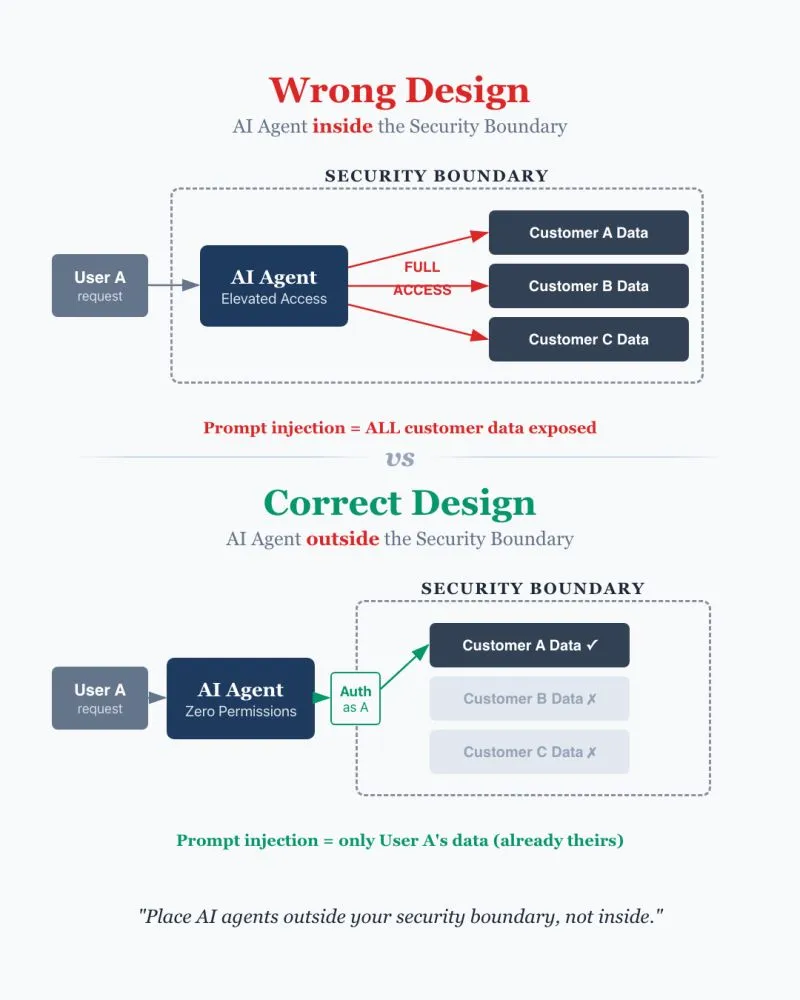
Most people design AI agent systems wrong. They put AI agents inside the security boundary instead of outside. This exposes their system to prompt injection.
--
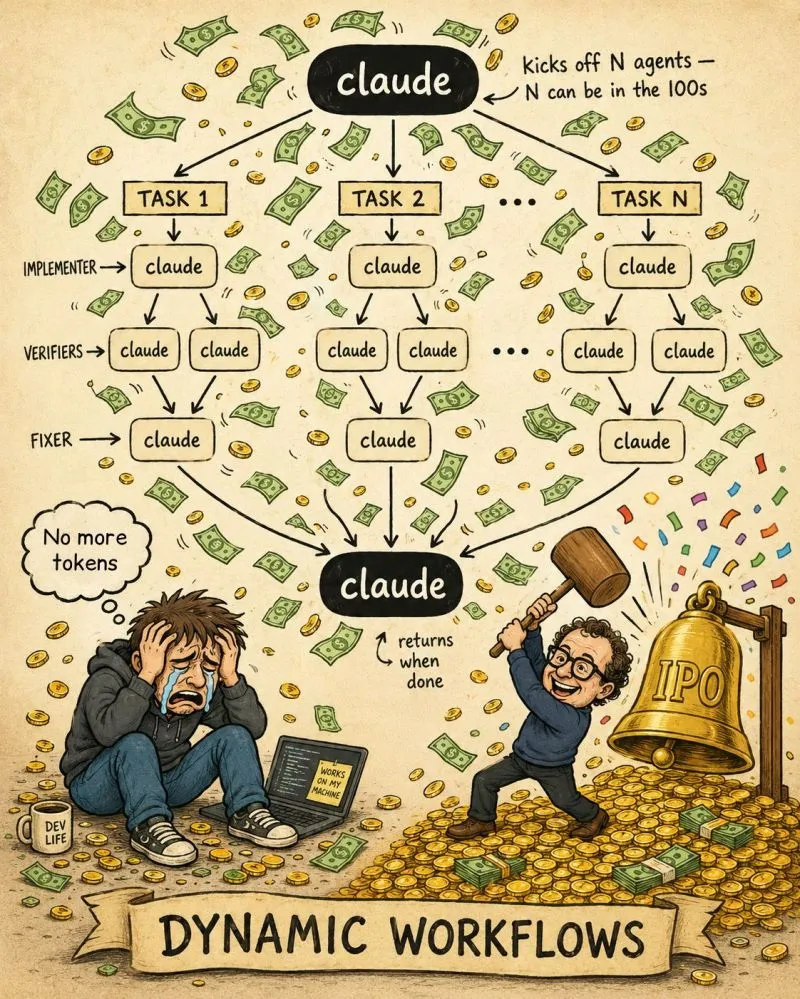
If you are new to Claude Code, turn off dynamic workflows before they burn through your usage limit.
Last week in my workshop, this caught a few learners off guard. One prompt spun up 100+ agents to research "AI patterns to avoid in web design," and burned t...

Most OpenClaw workshops skip the fundamentals and teach you 1-click setup on AI or cloud providers...
I decided to go for a different path. In my workshop, I guide learners to set up with the original experience: install it on your laptop, but with security i...

I am attending the Agentic AI Conference by Data Science Dojo on May 27 and 28, 2025.
The conference speakers include thought leaders in industry who will talk about all aspects of building agentic AI applications - covering everything from cu...
Why Your OpenClaw Agent Is One Message Away from Getting Hacked?
A stranger sent a very long, sophisticated-looking message to her agent. It was filled with detailed research instructions about finance news, complete with ...
Most people design AI agent systems wrong. They put AI agents inside the security boundary instead of outside. This exposes their system to prompt injection.
--
Most OpenClaw workshops skip the fundamentals and teach you 1-click setup on AI or cloud providers...
I decided to go for a different path. In my workshop, I guide learners to set up with the original experience: install it on your laptop, but with security i...
3 months ago I posted "Vibe coders, this will happen to you sooner or later."
The post went viral:
If you are new to Claude Code, turn off dynamic workflows before they burn through your usage limit.
Last week in my workshop, this caught a few learners off guard. One prompt spun up 100+ agents to research "AI patterns to avoid in web design," and burned t...
I am attending the Agentic AI Conference by Data Science Dojo on May 27 and 28, 2025.
The conference speakers include thought leaders in industry who will talk about all aspects of building agentic AI applications - covering everything from cu...