Hitting your AI coding usage limit feels like reaching the climax of a drama series and having to...
You’re full of ideas, but suddenly on hold until next day.
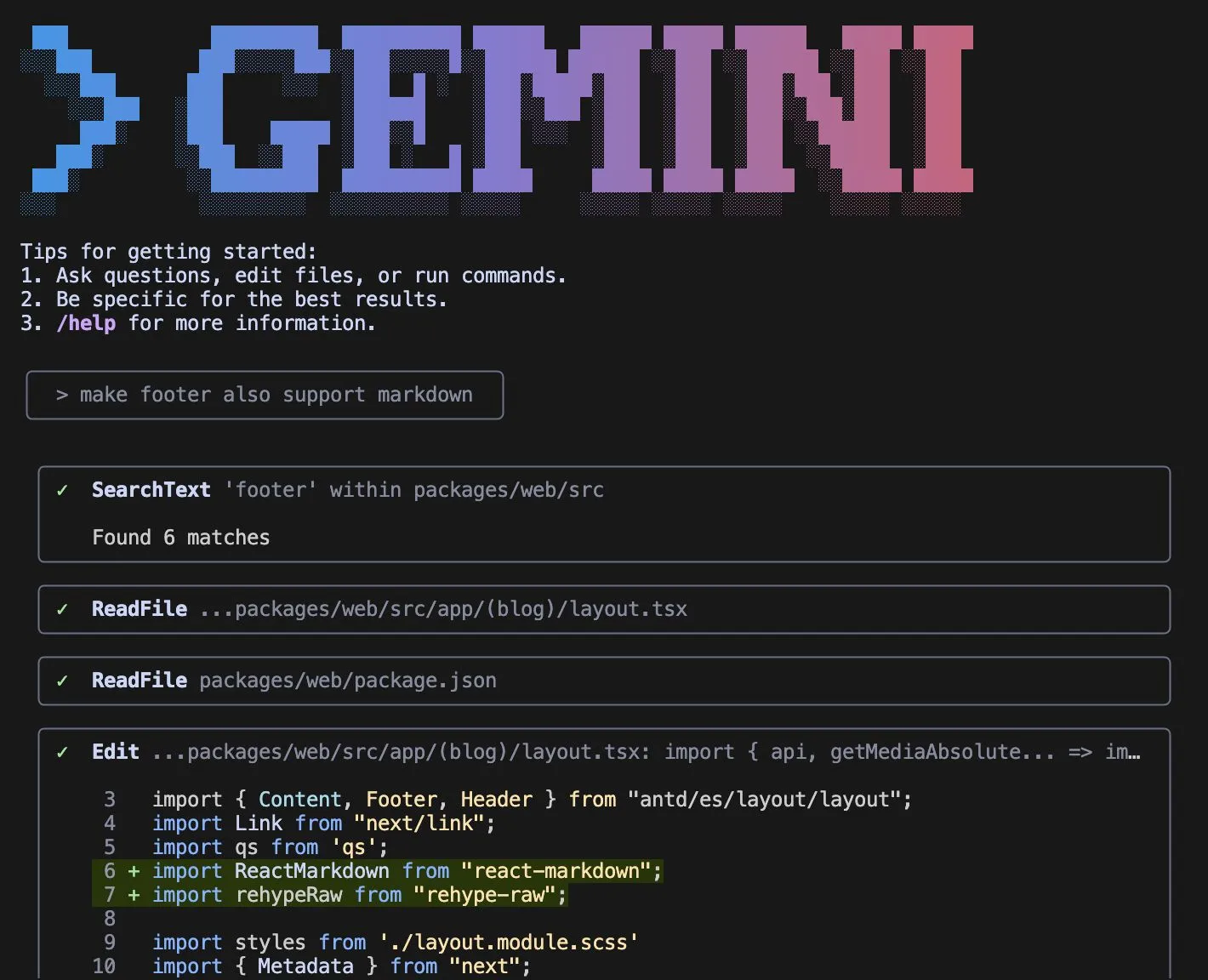
You’re full of ideas, but suddenly on hold until next day.
That’s when you should try Google’s Gemini CLI.
A few things I like about Gemini CLI:
→ Generous free tier – 60 requests per minute, 1,000 per day on a personal Google account. No surprise bills.
→ Huge context windows – Up to 1 million tokens and multi-modal input.
→ IDE-friendly – Works with Cursor and VS Code to detect open files as context.
One limitation is that you can only make a few daily requests for Gemini 2.5 Pro.
While Anthropic’s Claude Code is still the best, I find Gemini 2.5 Flash is good enough for most coding tasks if you are building web apps – coding APIs and UIs based on design components. And I find I sometimes prefer Gemini 2.5 Flash over Pro due to its speed of completion.
Bottom line:
For developers who work with web apps, Gemini CLI offers a predictable, flexible, and mostly free AI coding agent without the frustration of hitting usage limits.
Have you tried Gemini CLI and how does it compare to other AI coding tools you’ve used?
—
I share practical tips about business, marketing and AI
🔔 Follow me to learn more!
♻️ Re-post this to help others!
🔖 Save this for future reference!
💬 DM me for collaboration!
#GenAI #VibeCoding #SoftwareDevelopment #GeminiCLI #ClaudeCode
Enjoyed this? Subscribe for more.
Practical insights on AI, growth, and independent learning. No spam.
More in Vibe Coding

I finally concede that AI is smarter than me.
For 2 years, I held onto reasons like “AI can't solve my kid's homework” or “It can't play tic-tac-toe” to believe I was still smarter.
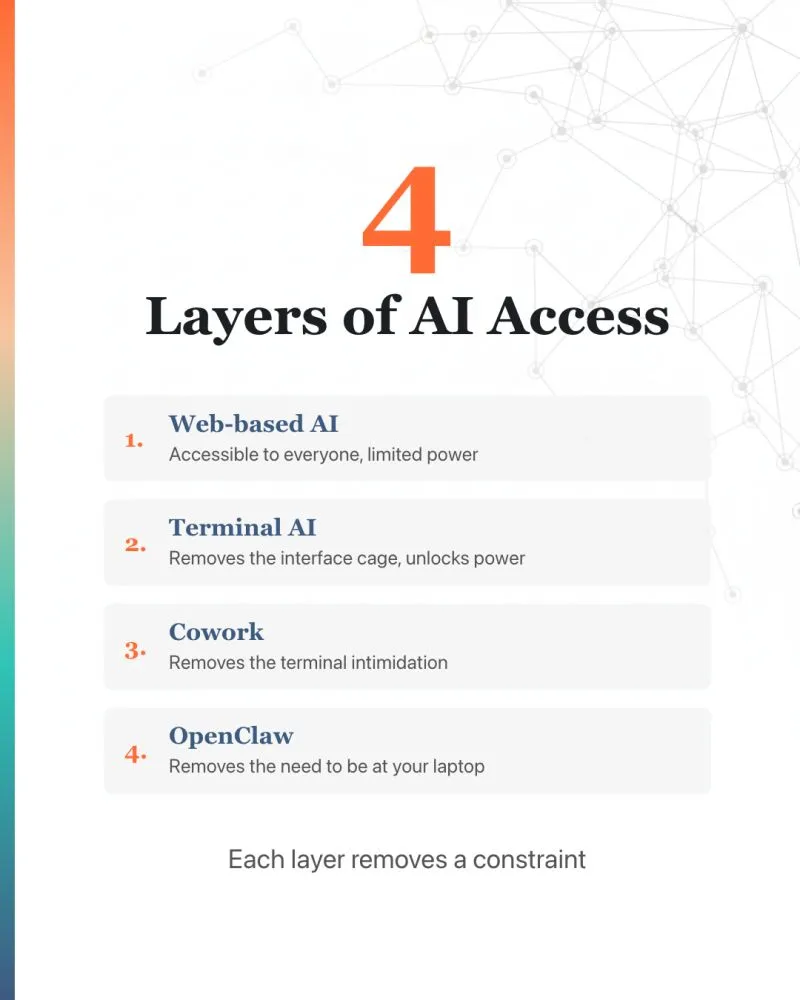
"What's the difference between ChatGPT, Claude Code, Claude Cowork, and OpenClaw?"
I've been asked this enough times that I thought I'd write it down. Here's my personal take.

How To Create Agent Skill To Write LinkedIn Posts That Sound Like You
Most people are surprised when I tell them I use AI to write all of my LinkedIn posts.

Congrats to four alumni from my Foundations of Claude Code workshop for taking their websites live...
A financial consultant. An industrial specialist. A systems builder. A professional documenting her transformation.
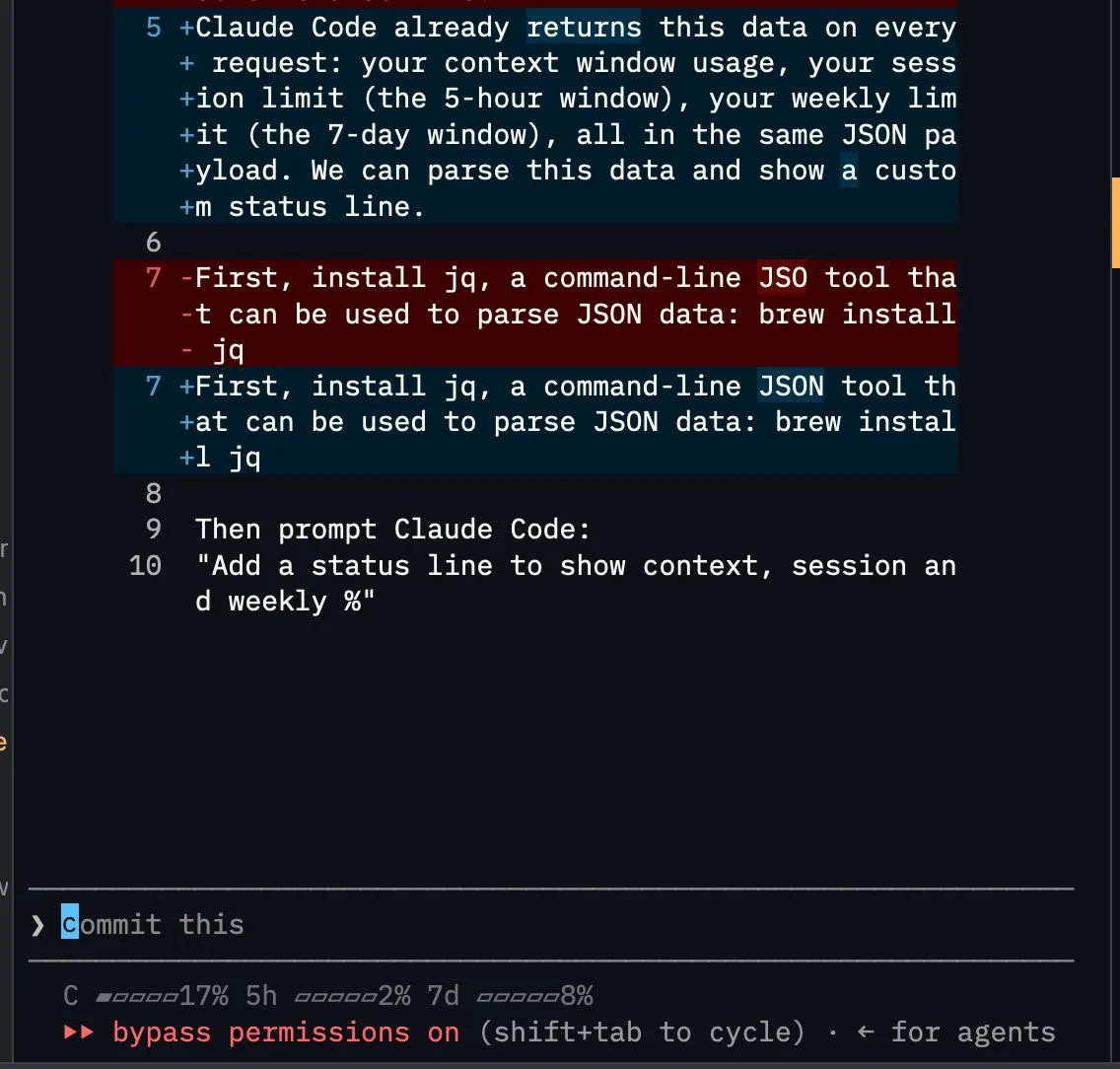
Want to monitor your context window, session, and weekly limit in real time?
One of the lesser-known Claude Code features: you can customize your status line.
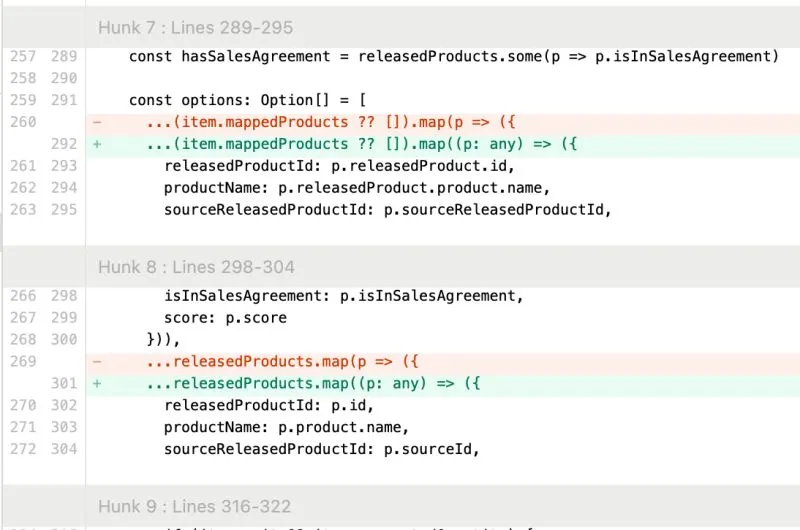
I caught Cursor trying to be lazy.
The AI agent couldn’t solve the typing error, so it cast the variable to 'any' to suppress the error, just like a sloppy software engineer would.
I finally concede that AI is smarter than me.
For 2 years, I held onto reasons like “AI can't solve my kid's homework” or “It can't play tic-tac-toe” to believe I was still smarter.
How To Create Agent Skill To Write LinkedIn Posts That Sound Like You
Most people are surprised when I tell them I use AI to write all of my LinkedIn posts.
Want to monitor your context window, session, and weekly limit in real time?
One of the lesser-known Claude Code features: you can customize your status line.
"What's the difference between ChatGPT, Claude Code, Claude Cowork, and OpenClaw?"
I've been asked this enough times that I thought I'd write it down. Here's my personal take.
Congrats to four alumni from my Foundations of Claude Code workshop for taking their websites live...
A financial consultant. An industrial specialist. A systems builder. A professional documenting her transformation.
I caught Cursor trying to be lazy.
The AI agent couldn’t solve the typing error, so it cast the variable to 'any' to suppress the error, just like a sloppy software engineer would.