Claude Code vs Codex vs Gemini CLI vs Qwen: My Results
The winner is still Claude Code...
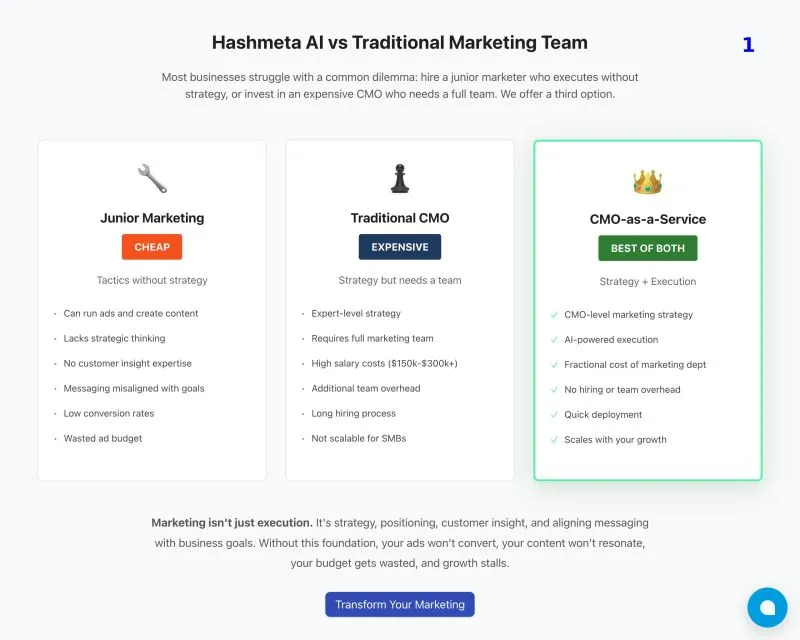
The winner is still Claude Code…
I have been using Claude Code for a while, but I always hit the usage limit. So I am always tempted to also find cheaper alternatives that work to complement it. If Qwen Code works, I actually plan to explore setting up local AI coding agents that run 24/7 with AMD Strix Halo + QWen-Coder:30b.
I always find coding benchmarks don’t reflect real-world usability. So, I tested them on a real project: coding a new section in an existing landing page of Hashmeta AI. For context, the landing page is coded with Next.js and Ant Design.
To me, this is what makes a good front-end coder, whether it is human or AI: ✅ Design Intuition - Smart layout decisions ✅ Clean Code - Reusing existing components ✅ Style Consistency - Following established patterns ✅ Great Copywriting - Write text that sells
These matter more than raw coding ability.
Here is my prompt:
Based on the following LinkedIn post and the cover image. Add a section of Hashmeta AI vs Traditional Marketing Team in [@page.tsx].
Cover image: [@image.png]
LinkedIn Post: [Copy paste LinkedIn Post]
LinkedIn post: https://lnkd.in/gcmNWd6N
Unsurprisingly, the winner is Claude Code.
The Results:
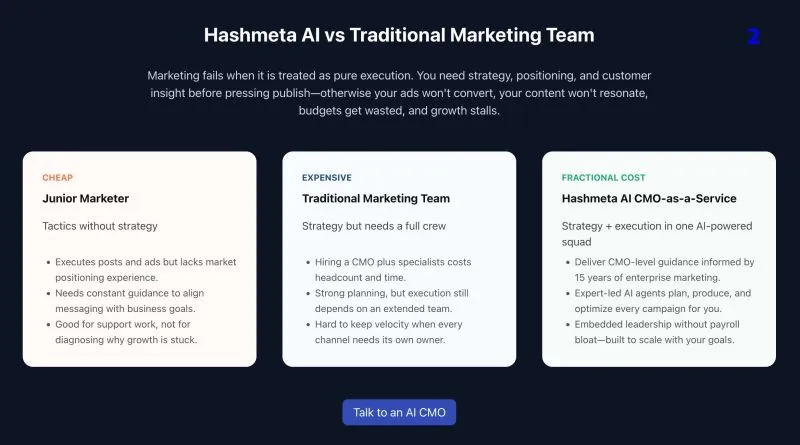
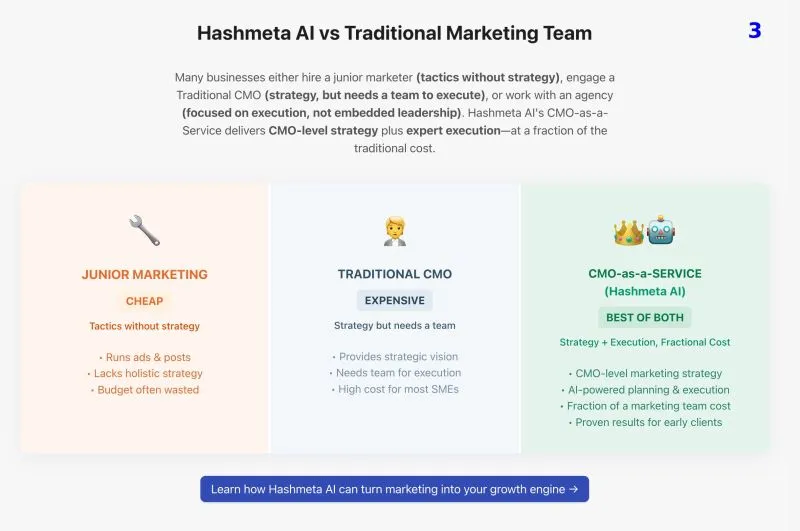
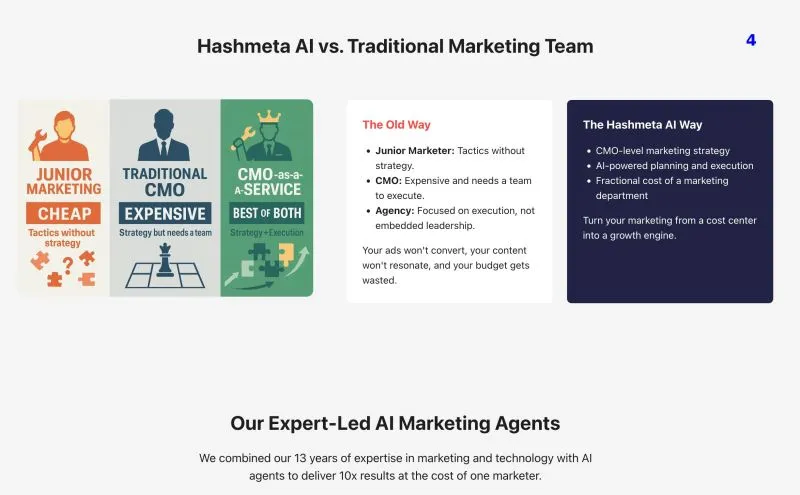
Anthropic Claude Code ⭐ ✅ Layout: Exactly what I envisioned ✅ Reused existing components and Ant Design ✅ Followed coding patterns consistently ✅ Copywriting on point ❌ Still need some fine-tuning on colors
Gemini CLI ❌ Weird layout choices ✅ Reused existing components and Ant Design ✅ Followed coding patterns consistently ❌ Missing CTA button
Qwen Coder ✅ Acceptable layout ✅ Reused existing components and Ant Design ✅ Followed coding patterns consistently ❌ Poor copywriting judgement
OpenAI Codex ✅ Layout: Close to what I envisioned, but missing details like highlight ✅ Reused existing components and Ant Design ✅ Followed coding patterns consistently ❌ Copywriting slightly off
Cursor + GPT-4.1 ✅ Decent layout ✅ Copywriting on point ❌ Ignored existing coding styles, wrote raw HTML/CSS ❌ Overly long CTA buttons
The Takeaway: You pay for what you get. The free one still doesn’t work as well.
For UI work, you need an AI that understands your codebase, makes good design decisions, and maintains consistency. Claude Code wins because it combines design intuition with code awareness.
What about improving my prompt?
Yup, I believe with the right prompt, all the above AI Coding Assistants will be able to produce exactly what I want. But I don’t want to end up becoming a babysitter for AI. That lowers the value of using AI coding assistants in the first place.
#AIcoding #WebDevelopment #UI #UX #ClaudeCode
Now, let’s play a guessing game: which images belong to which coders? (I put a number on the top right of each image)
Enjoyed this? Subscribe for more.
Practical insights on AI, growth, and independent learning. No spam.
More in Vibe Coding

We tested ChatGPT 5’s front-end coding capability so you don’t have to.
The verdict? Not impressed.

Cursor's Pricing Changes Caused an Uproar
They have to do it because subsidizing the market with cheap tokens is not sustainable in the long run.

Don't believe the BS that you can use Claude Code for free.
Ollama recently made their API compatible with Claude Code. Many creators quickly jumped on the opportunity to farm engagement with the hook: "You can now u...

How To Create Agent Skill To Write LinkedIn Posts That Sound Like You
Most people are surprised when I tell them I use AI to write all of my LinkedIn posts.
Claude Code can code nice UI. But nice UI doesn't mean good UI.
Manual UI testing is becoming one of my biggest bottlenecks when coding with AI now.
Vibe coding is a double-edged sword.
In the wrong hands, it's a security nightmare. In the right hands, it's a powerful security assistant.
We tested ChatGPT 5’s front-end coding capability so you don’t have to.
The verdict? Not impressed.
How To Create Agent Skill To Write LinkedIn Posts That Sound Like You
Most people are surprised when I tell them I use AI to write all of my LinkedIn posts.
Claude Code can code nice UI. But nice UI doesn't mean good UI.
Manual UI testing is becoming one of my biggest bottlenecks when coding with AI now.
Cursor's Pricing Changes Caused an Uproar
They have to do it because subsidizing the market with cheap tokens is not sustainable in the long run.
Don't believe the BS that you can use Claude Code for free.
Ollama recently made their API compatible with Claude Code. Many creators quickly jumped on the opportunity to farm engagement with the hook: "You can now u...
Vibe coding is a double-edged sword.
In the wrong hands, it's a security nightmare. In the right hands, it's a powerful security assistant.